Agent Skills vs MCP vs CLI: When to Use Each
Skills, MCP tools and CLIs solve different problems. Learn what an agent skill is, why it is cheap on context, and a simple rule for choosing between a skill, an MCP tool and a plain CLI.
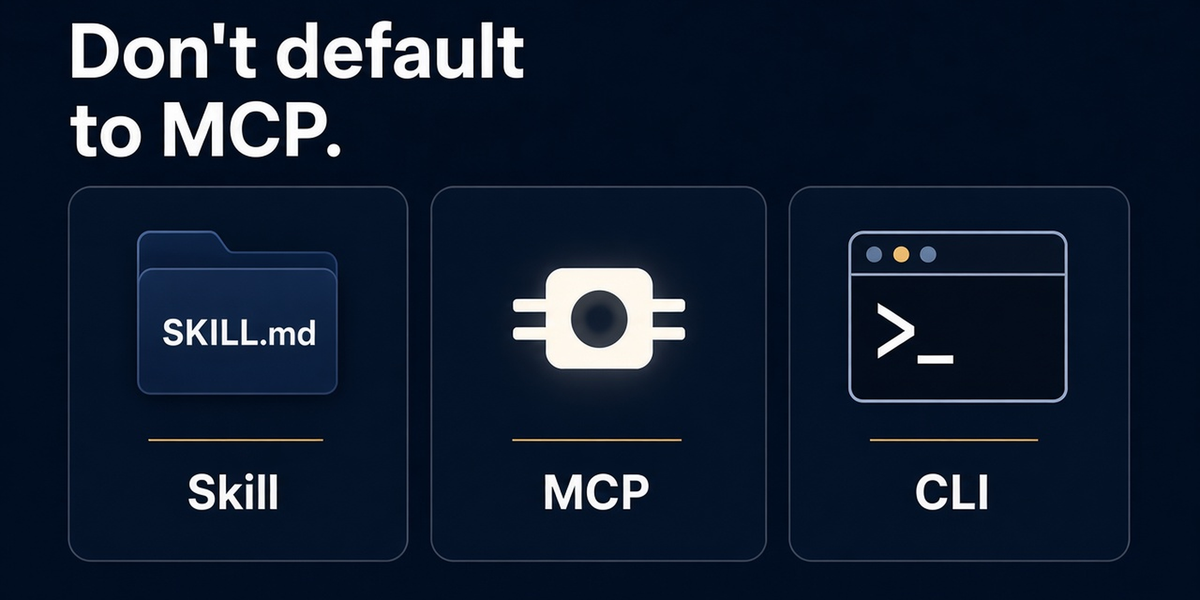
Everyone on your feed is saying that "skills changed everything" for AI agents. Then you open the docs and see MCP servers, tools, plugins, CLIs, and now there are skills inside MCP servers. So which one are you actually supposed to use?
If MCP or agent internals are new to you, two of my earlier videos make good background for this post. I covered how hosts, clients and servers fit together — and what can go wrong — in MCP Explained: What's the worst that could happen?. And for where tools, memory and planning sit inside an agent, see Anatomy of AI Agents: How They Actually Work.
Let's take these one by one, and then put them side by side.
What is an agent skill?
A skill is not a new kind of model or a new protocol. According to the Agent Skills specification, a skill is simply a directory that contains, at minimum, a SKILL.md file:
release-notes/
├── SKILL.md        # required: metadata + instructions
├── scripts/        # optional: code the agent can run
├── references/     # optional: extra docs, loaded on demand
└── assets/         # optional: templates, schemas, data
The SKILL.md starts with YAML frontmatter. Only two fields are required: name and description. The description should say both what the skill does and when to use it, because that is what the agent reads to decide whether the skill is relevant.
---
name: release-notes
description: Writes release notes from git history. Use when the user asks for release notes, a changelog, or a summary of changes between two tags.
---

1. Run `git log --oneline <previous-tag>..HEAD`.
2. Group commits into Features, Fixes and Internal.
3. Skip merge commits and dependency bumps unless they are security fixes.
4. Use the template in assets/template.md.
Anthropic introduced skills while building Claude Code, published Agent Skills as an open standard in December 2025, and on 22 October 2026 donated it to the Agentic AI Foundation under the Linux Foundation. Anthropic says more than 70 agent platforms have integrated it (a company-reported figure).
Why are skills cheap on context?
This is the clever part, and it is why skills are not just "a long prompt in a file". The specification describes progressive disclosure:
- Metadata (about 100 tokens): only the
nameanddescriptionof every installed skill are loaded at startup. - Instructions (under 5,000 tokens recommended): the full
SKILL.mdbody is loaded only when the skill is activated. - Resources (as needed): files in
scripts/,references/orassets/are read only when the task requires them.
Think of it like a reference library. The agent always sees the spines of the books on the shelf, opens a book only when it needs it, and turns to an appendix only when that specific page matters. You can install many skills without filling the context window with all of them.
What is an MCP tool?
The Model Context Protocol connects an AI application (the host) to external systems through MCP servers. A server exposes tools — named actions with descriptions and typed inputs, such as "search tickets" or "create invoice". MCP is the right choice when the problem is access: the agent needs to reach a system it cannot reach from a shell, the call needs authentication, or the same integration should work across many different AI clients.
When is a plain CLI enough?
If your agent already has a terminal and the tool is something models have seen millions of times — git, gh, npm, docker, psql — wrapping it in an MCP server often adds setup without adding capability. A sentence in your AGENTS.md ("use gh pr list --json to find open PRs") might be all you need.
This is exactly the confusion many developers are expressing right now: why build an MCP server around a CLI the agent already knows? Often, you shouldn't.
Skill vs MCP tool vs CLI: how do you choose?
| Question | CLI | MCP tool | Skill |
|---|---|---|---|
| What does it give the agent? | An action through the shell | Access to a system, with typed inputs and outputs | Procedure and judgement ("how we do this here") |
| Needs a shell? | Yes | No | Only if its scripts need one |
| Handles auth and permissions? | Whatever the shell user has | Yes, per server | No — a skill is instructions, not permissions |
| Context cost | Low (the model already knows the tool) | Tool definitions, unless loaded on demand | About 100 tokens per skill until activated |
| Best for | Well-known dev tools | SaaS APIs, databases, remote services, many clients | Multi-step workflows, team conventions, repeatable playbooks |
A useful rule of thumb: if the agent can't reach it, you need a tool. If the agent can reach it but keeps doing it wrong, you need a skill.
They are not competitors — they stack
On 24 November 2026, Anthropic announced Skills over MCP in public beta in Claude and Claude Code. MCP servers can now publish skills alongside their tools, so the server ships both the access and the instructions for using it well. Claude loads such a skill only when it is needed, and the skills update with the server.
Google is moving in the same direction from the tool side. On 19 November 2026, the Gemini API added tool retrieval (preview): you mark tools with defer_loading: true and add a tool_search tool, so the model retrieves function schemas on demand instead of receiving the full tool set on every request. Remote MCP servers support defer_loading as well.
Two companies, the same idea: don't put every tool and every instruction into the context window — load them when they matter. Anthropic also reports that its own tool search can cut the context used by tool definitions by over 85% in multi-server setups.
A small experiment you can run yourself
If you want to feel the difference rather than take anyone's word for it, build one small task three ways — for example, "write release notes from the git log":
- CLI only: one line in
AGENTS.mdtelling the agent whichgit logcommand to run. - MCP tool: a tiny server exposing a
get_commits(from_tag, to_tag)tool. - Skill: the
SKILL.mdabove, with a template inassets/.
Run each version several times and compare how many tokens of context were loaded, how often the output matched your format, and how long setup took. Your numbers will depend on your agent and model, which is exactly why it is worth measuring on your own stack.
What are the limitations and risks?
- A skill is not a permission boundary. It tells the agent how to do something; it does not restrict what it can do. Permissions still come from your sandbox, your tools and your approvals.
- Installing a skill means trusting its scripts. A skill can include executable code. Treat a skill from the internet the way you would treat any package: read it before you run it. The AAIF roadmap proposed by Anthropic includes security guidance for people who write and install skills, which tells you this is still being worked out.
- Descriptions are doing the routing. If the
descriptionis vague ("Helps with PDFs"), the agent may never activate the skill, or may activate the wrong one. - Experimental fields vary. The spec's
allowed-toolsfield is marked experimental, and support differs between agents.
Conclusion
CLI, MCP and skills answer three different questions. Can the agent run it? Can the agent reach it safely? Does the agent know how we do it? Once you ask the right question, the choice usually becomes obvious — and very often the best setup uses all three together.
References
- Agent Skills Specification — Agent Skills project (agentskills.io), accessed 25 Nov 2026.
- Donating Agent Skills to the Agentic AI Foundation — Anthropic, 22 Oct 2026.
- MCP servers can now ship skills, run tasks, and more with Claude — Anthropic (Claude), 24 Nov 2026.
- Gemini API release notes (Tool retrieval, 19 Nov 2026) — Google AI for Developers, accessed 25 Nov 2026.